9 Note Types PDF Incident Reports 6 Quran Riwayat Zero Analytics
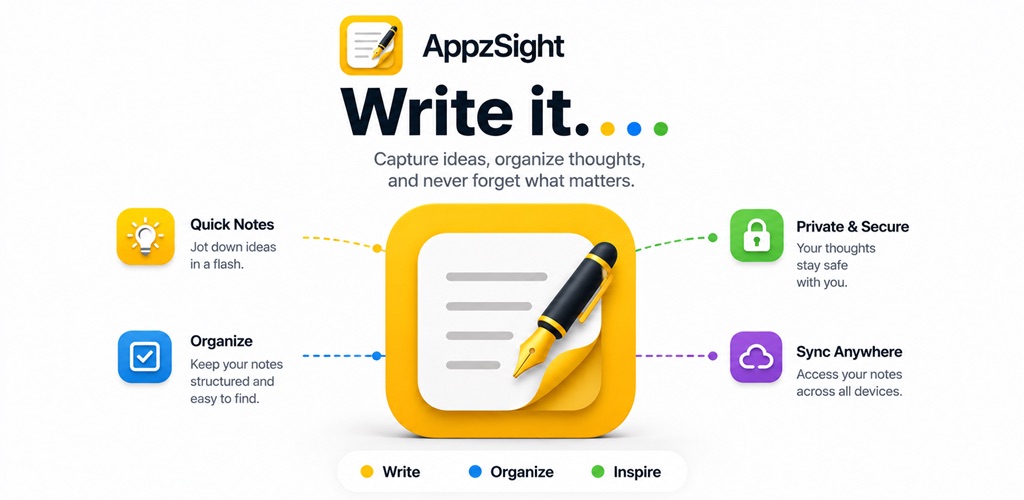
AppzSight Notes — quick notes, organize, private & secure, sync anywhere

AppzSight Notes

Private notes that stay on your phone

A fast, all-in-one notes app with 9 note types, folders and tags, reminders and real locks. No account, no ads, no tracking: your notes stay on your device and leave it only when you back up, export or turn on Cloud Sync to your own Google Drive or iCloud. 27 languages with full right-to-left support.

Note Types

Text Notes Checklists Drawing Photo Gallery Contacts Audio / Voice Links Tables My Time

Organization

Folders Tags Archive Recycle Bin Search Reminders Home Widget

Security

PIN Lock Biometric Per-Note Lock Auto-Lock Encrypted Locked Notes

Backup & Export

ZIP Backup Auto Backup PDF Export Version History Cloud Sync (Premium) Google Keep Import
✦ Free Plan Every note type, lock, backup and export is free, up to 5 notes. A one-time Premium unlocks unlimited notes and Cloud Sync — no subscription.
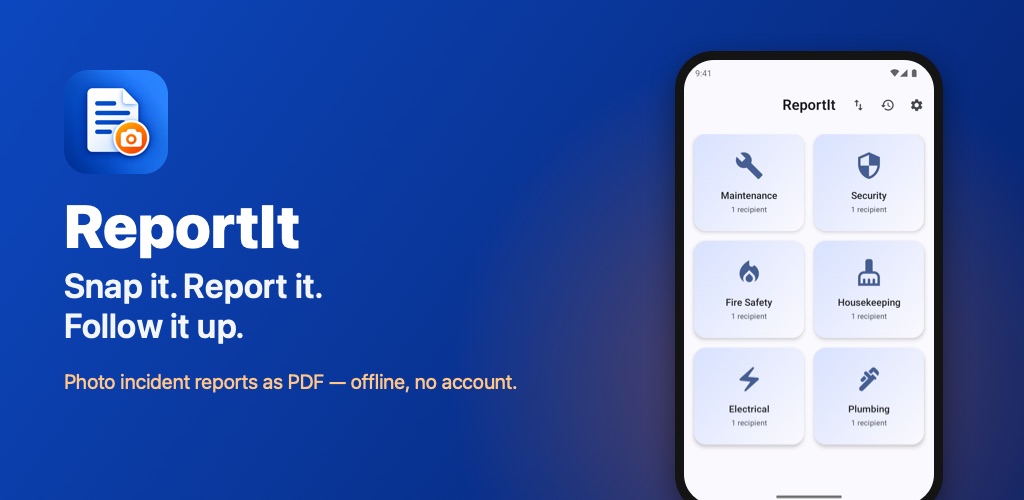
ReportIt — Snap it. Report it. Follow it up. Photo incident reports as PDF

ReportIt

Snap it. Report it. Follow it up.

ReportIt turns an incident into a clear, professional PDF report in seconds. Pick the department, add photos or a short video and a note, and share it through WhatsApp, email or any app. Every report stays on your phone so you can follow it up until it's resolved. Built for maintenance, security, safety and facility teams. No account, no sign-up, no tracking.

Report

Departments Up to 5 Photos Short Video Branded PDF WhatsApp & Email

Follow Up

Shared → Pending → Resolved Search & Filters Monthly Summary PDF / CSV Export

Your Brand

Report Design Custom Departments English & Arabic

Privacy

No Account App Lock Kept Out of Cloud Backups
✦ Free Plan Available now on Google Play, the App Store for iPhone and iPad, and Huawei AppGallery (as Appzsight ReportIt, with every Pro feature free). Free with every feature for 2 departments and 5 reports; ReportIt Pro removes the limits with one payment — no subscription.
The Final Path — Alquran and Sunnah الطريق الأخير — القرآن والسنة

The Final Path · الطريق الأخير

Quran & Sunnah — القرآن والسنة — your complete Quran, Tafsir, Hadith & Seerah companion

A free, privacy-first Quran app with the full Uthmani text in 6 authentic narrations (riwayat), verse-by-verse Tafsir al-Muyassar, Sahih al-Bukhari hadith, the Seerah of Ibn Hisham, search without diacritics, verses shared as images, prayer times, and a Hijri calendar — all bundled offline. No ads, no account, no tracking.

Quran

6 Riwayat Uthmani Script Tafsir al-Muyassar Search Without Diacritics Audio Recitations Mushaf Page View

More Content

Sahih al-Bukhari Seerah (Ibn Hisham) Duas & Adhkar 99 Names of Allah Share Verses as Images

Prayer & Calendar

Prayer Times Prayer Notifications Hijri Calendar

Privacy

Offline Quran Text No Account No Ads
✦ Free Available now on the App Store (iPhone and iPad), Google Play and Huawei AppGallery.
Appzsight Library app icon

Appzsight Library · مكتبة Appzsight

Your PDFs and Office files in one private, searchable library

Keep PDF, Word, PowerPoint, Excel and text files together on your phone. Organise them in folders and coloured tags, search inside the documents themselves, read PDFs where you left off, and scan paper into PDF. Everything stays on your device — no account, no ads, no tracking — with full backups to a folder you choose. In English and Arabic.

Library

PDF · Word · PowerPoint · Excel · Text Nested Folders Coloured Tags Smart Views Notes & Bookmarks

Read & Find

Full-Text Search PDF Reader Simple View for Office Files Scan to PDF

Privacy

Works Offline App Lock No Account Your Own Backups
✦ Free Coming soon to the App Store and Google Play. Questions or support: info@appzsight.com or WhatsApp +962 79 965 8577.
App Store Coming soon Google Play Coming soon Privacy Policy
AppzSight Free PDF Editor icon

AppzSight Free PDF Editor

Free, private PDF editing in your browser

Open a PDF at pdf.appzsight.com and change it right in your browser: edit its text line by line, add notes, shapes, highlights, drawings, stamps and pictures, fill in forms, and merge, split, rotate or reorder pages. Your files never leave your device — nothing is uploaded, and there is no account. After the first visit it also works offline. Edited text is covered, not erased, so don't use it to remove private information.

Edit

Edit Text Text, Shapes & Highlights Drawing & Stamps Pictures Fill Forms

Pages

Merge & Split Rotate & Reorder Delete Pages Password-Protected Files

Privacy

No Uploads No Account Works Offline
✦ Free Free for everyone, on any computer, tablet or phone with a modern browser.